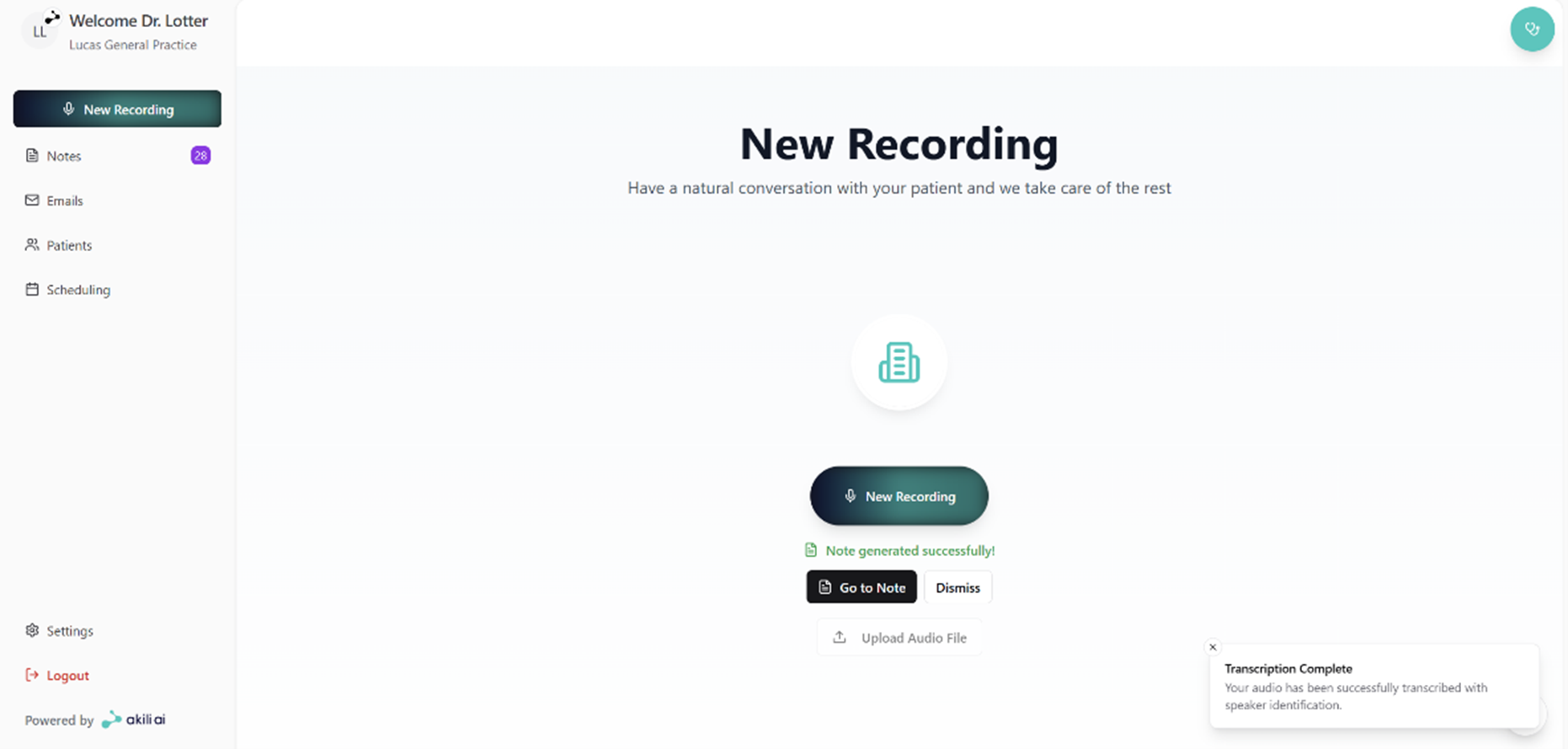
Start a new recording
With Akili AI, you can easily start a new recording from the home page. On this page you can select a new recording, or upload an audio file. Follow these steps.
Step 1: Select new recording from the Home Page
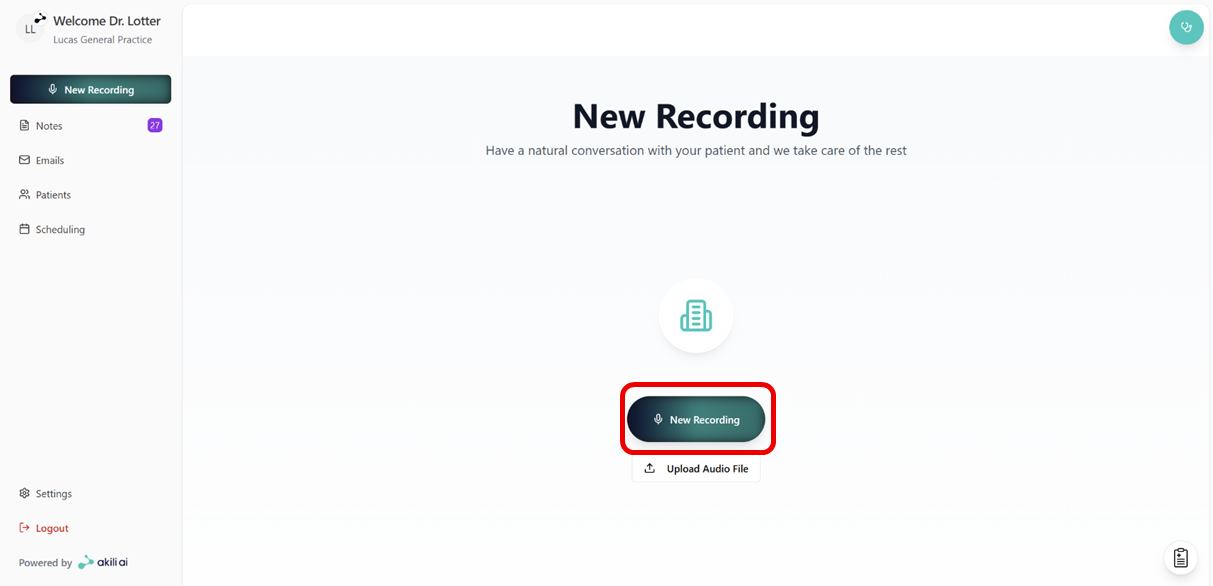
Step 2: From the selection pane you are able to
- Select your preferred template
- Search for added patients
- Select a patient
- Confirm consent
- Skip consent or Start Recording
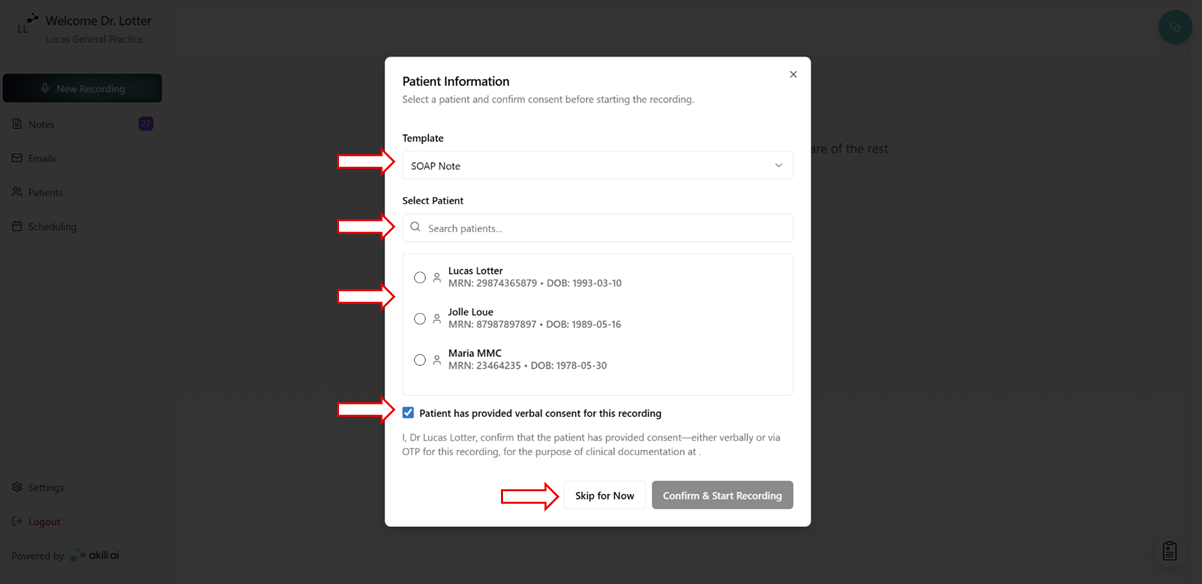
Step 3: Grant Microphone Access
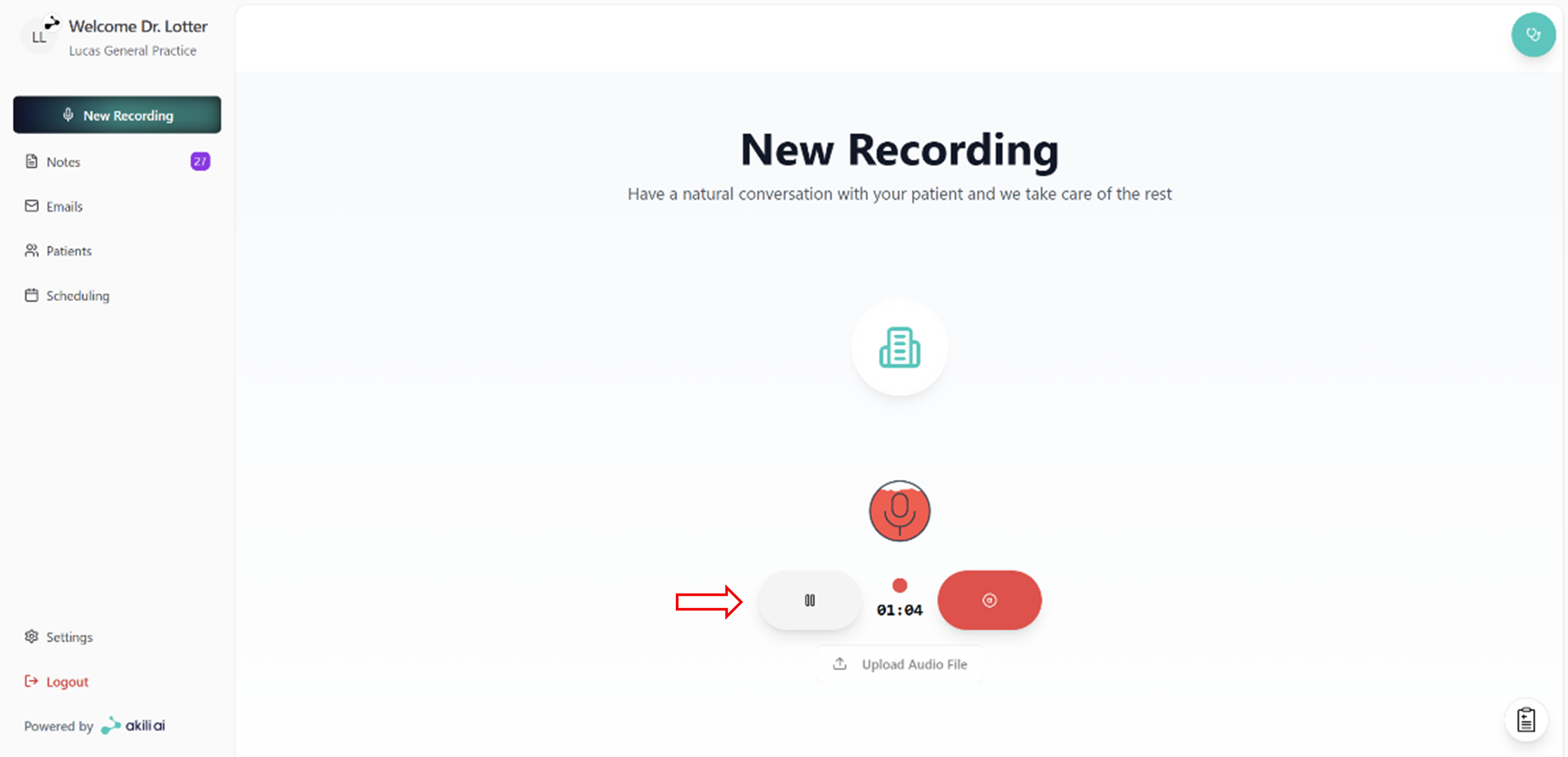
Step 4: Perform Consultation
On this page you can:
- Pause the recording
- Stop and finish the recording
Step 5: Navigate to note, or start/upload new recording