Generating a Sick Note
A sick note can be sent from an approved and linked note screen with easy-to-choose options in generating details, and selecting dates as seen in the following steps:
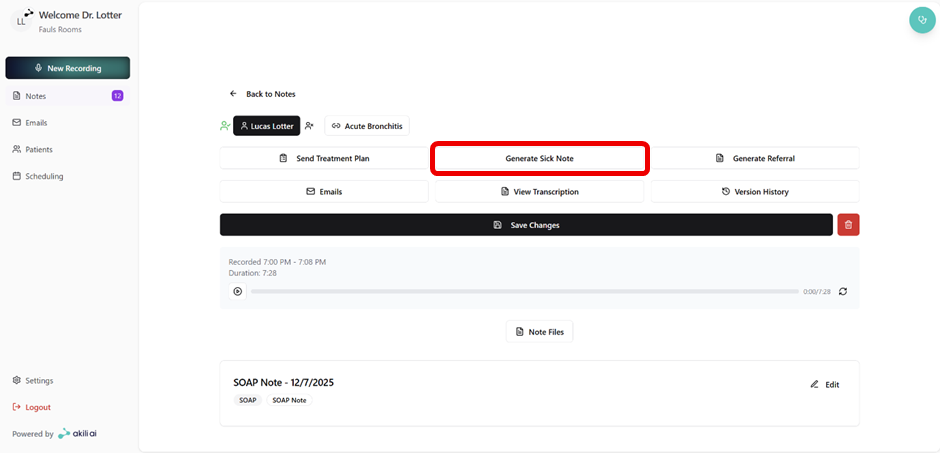
Step 1: Select “Generate Sick Note” from an approved and linked note
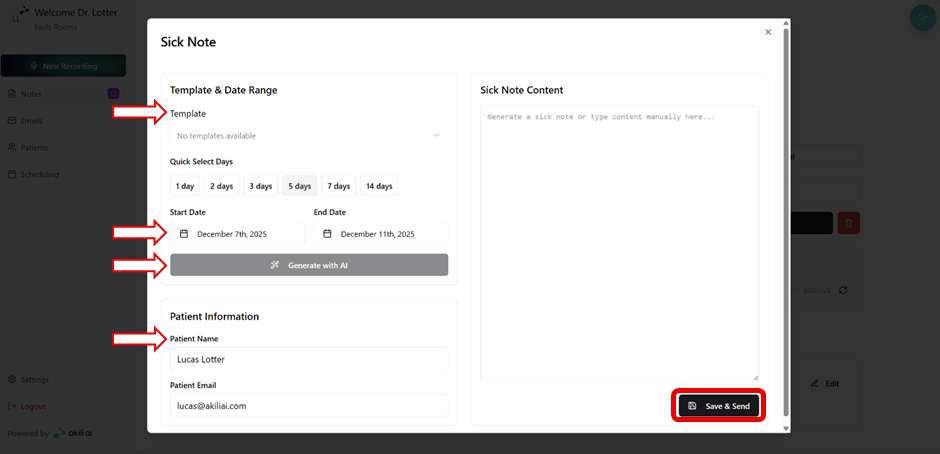
Step 2: Details and Sick Note contents: Easy setup tools are available for sick note generation:
- Select preferred template
- Select date range
- Click “Generate with AI” to populate the sick note contents
- Confirm or change patient information
- Select “Save & Send”
Step 3: View sent emails from the “Email” tab in the navigation bar with the Sick Note tag
