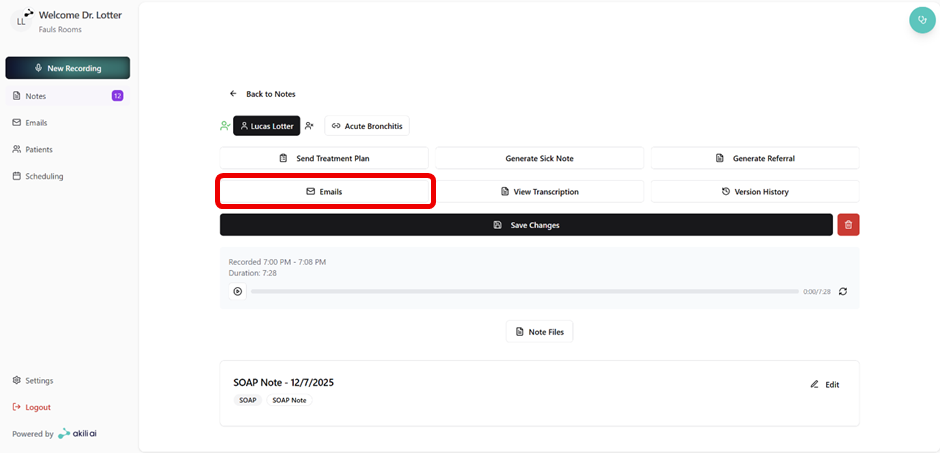
Sending a Referral
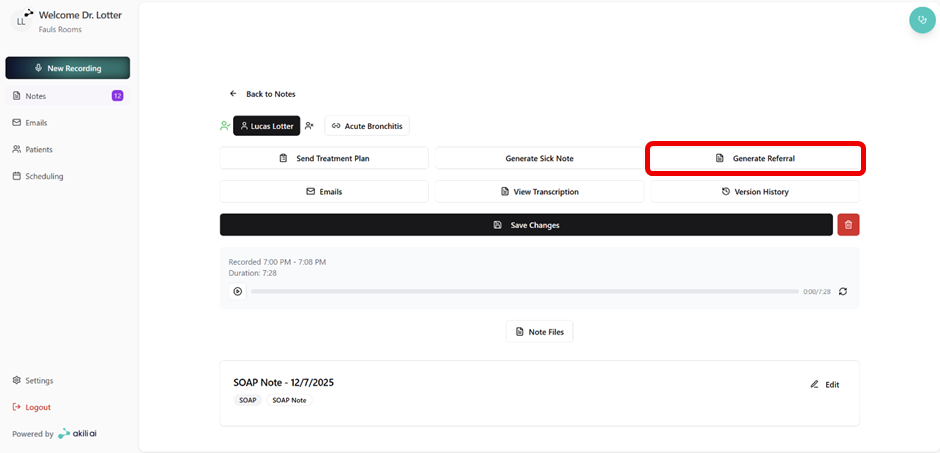
Akili AI allows for the setup and sending of referrals to healthcare professionals directly from the note screen as seen in the steps below:
Step 1: Select “Generate Referral” from the linked and approved note screen
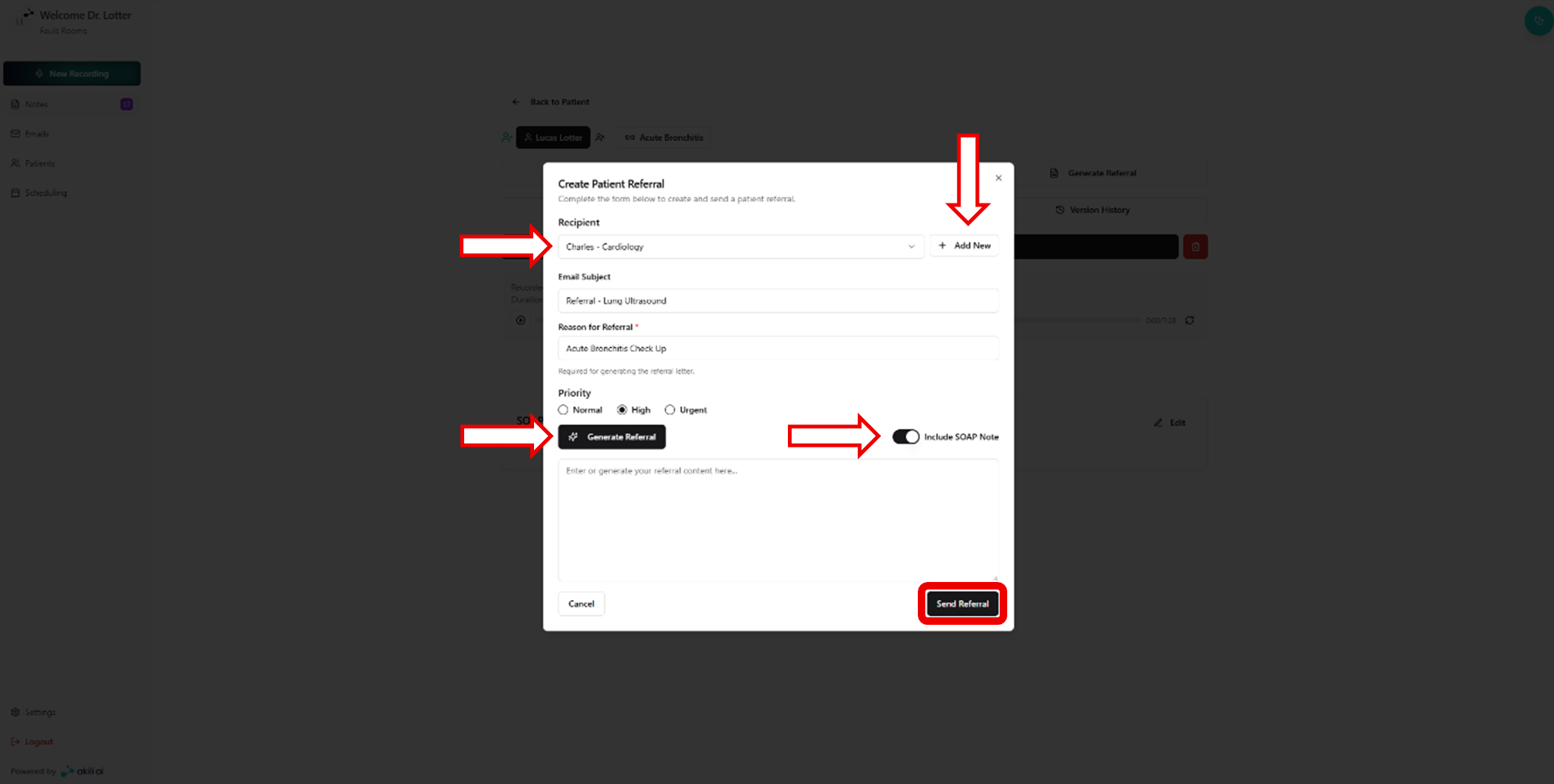
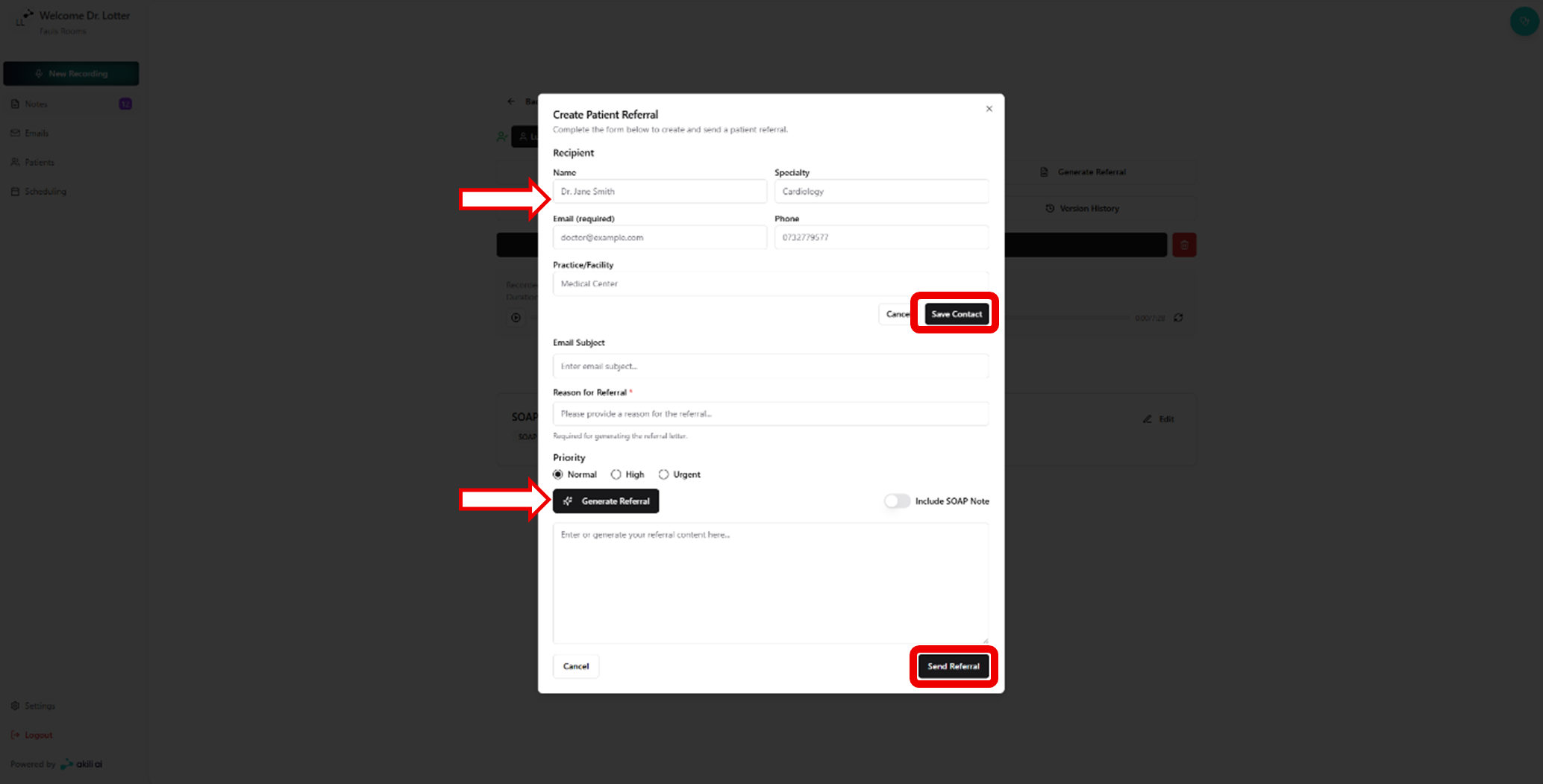
Step 2: Create the patient referral. This step allows the following:
- Select or create a new recipient
- Listing an Email Subject and Referral Reason
- Ability to include the associated note
- Sending a referral with the “Send Referral” button
Step 3: Adding a Referral Contact if none are listed, select “Add New” on the top right of the screen
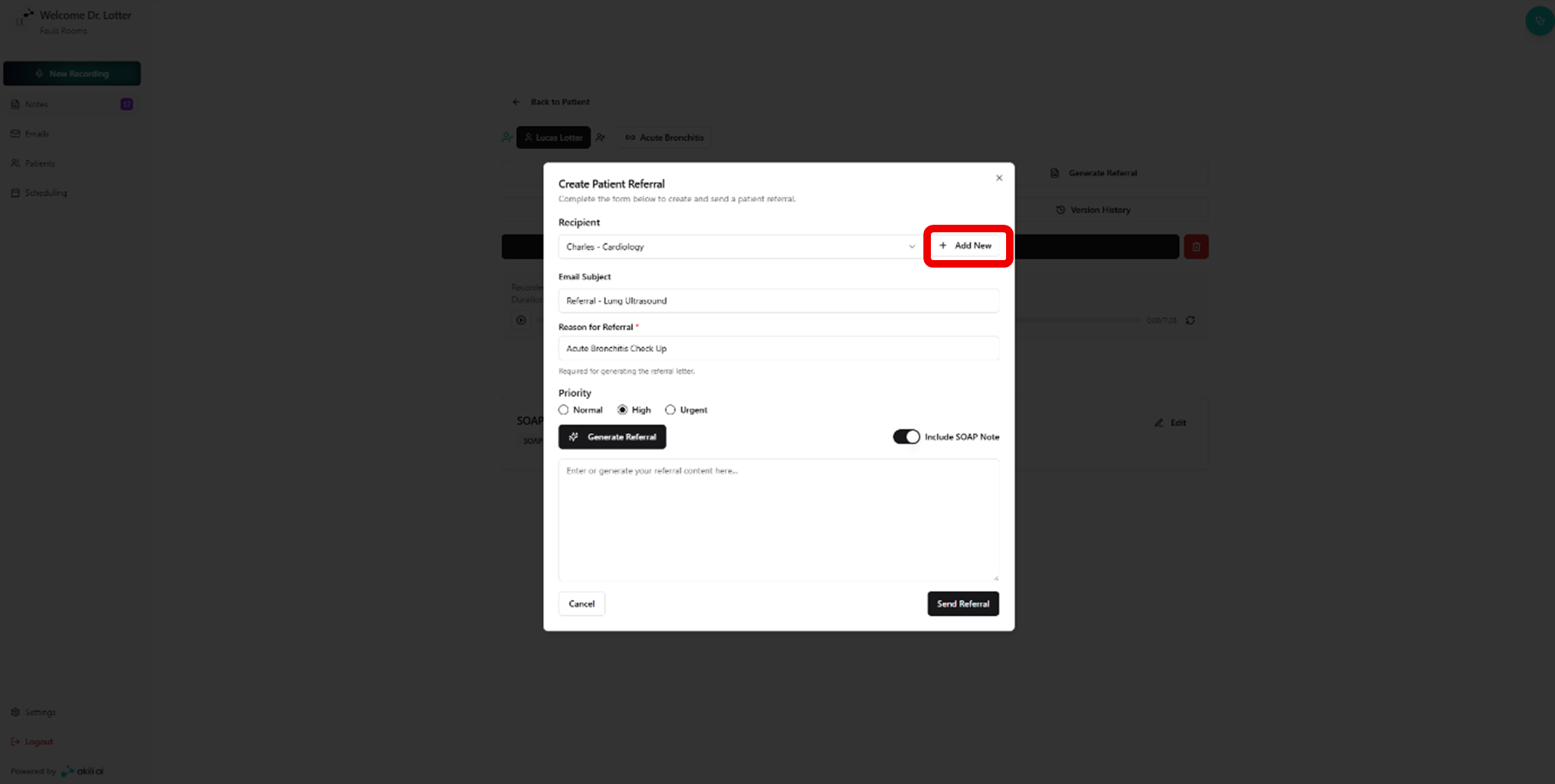
Step 4: Fill in the recipient details and select “Save Contact,” then follow the same referral information as seen in Step 2.
Step 5: View the sent emails related to the current patient by selecting “Emails” from the note screen