Request Patient Consent
Akili AI captures patient consent through the recording workflow. If no permission was granted, consent can be managed directly under the patient’s profile under the patients tab
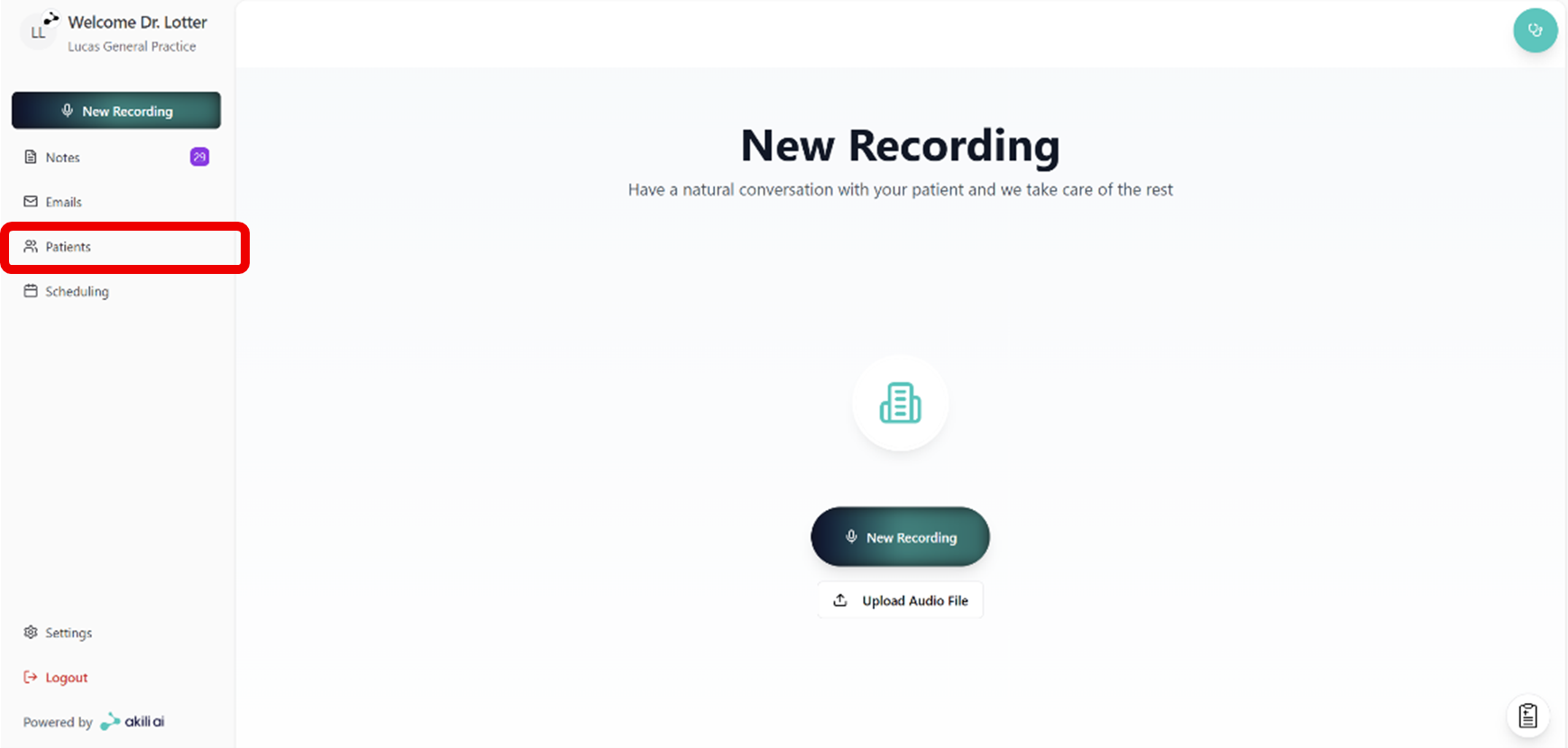
Step 1: Navigate to the Patient tab in the navigation menu
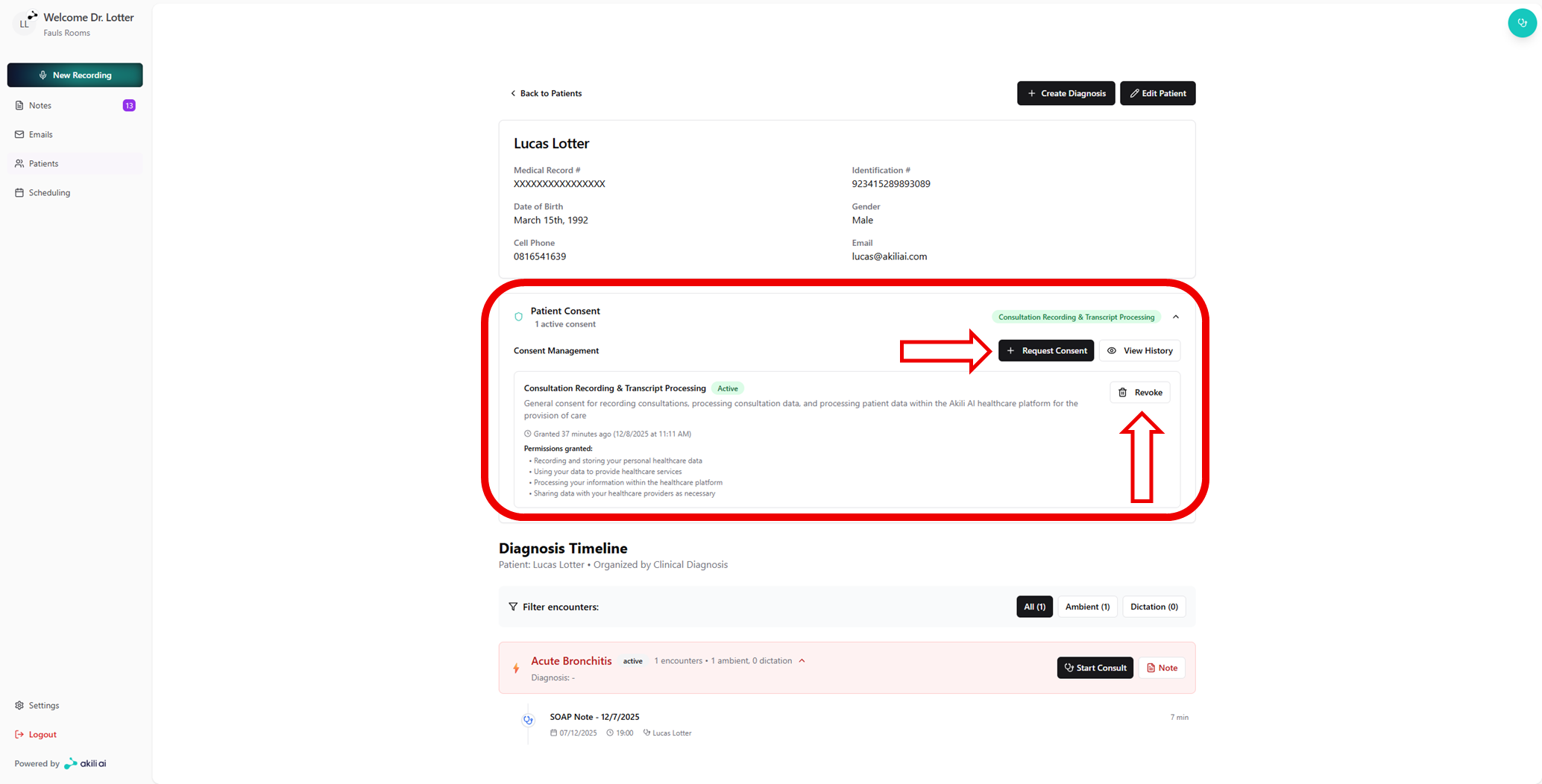
Step 2: Expand the consent window and select “Request Consent”.
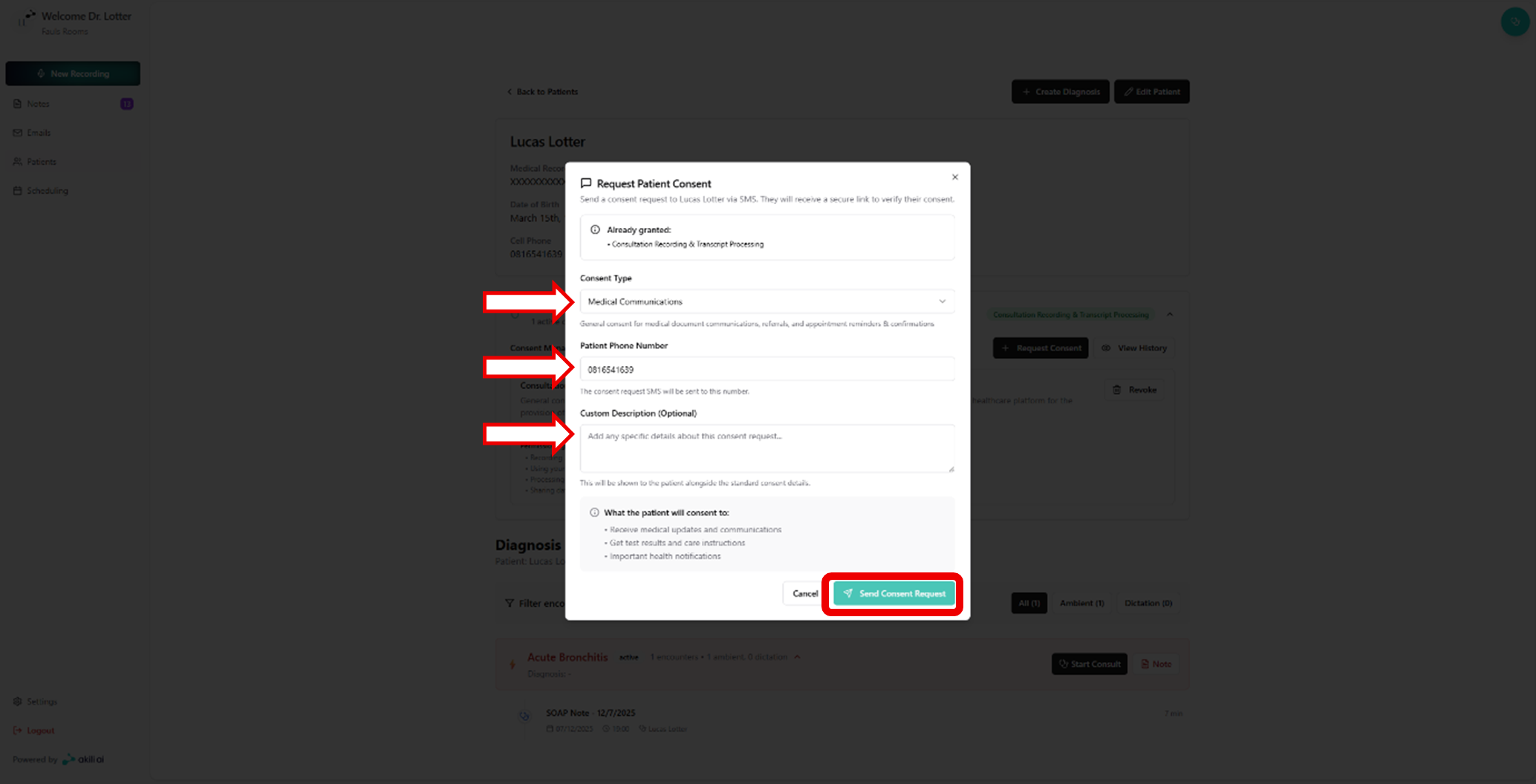
Step 3: Select “Send Consent Request” after you have done the following:
- Selected the intended consent type
- Confirmed the correct number
- Added an optional description
- From this the patient will receive an SMS, and will be able to provide consent through completing the consent process using the link provided to them.