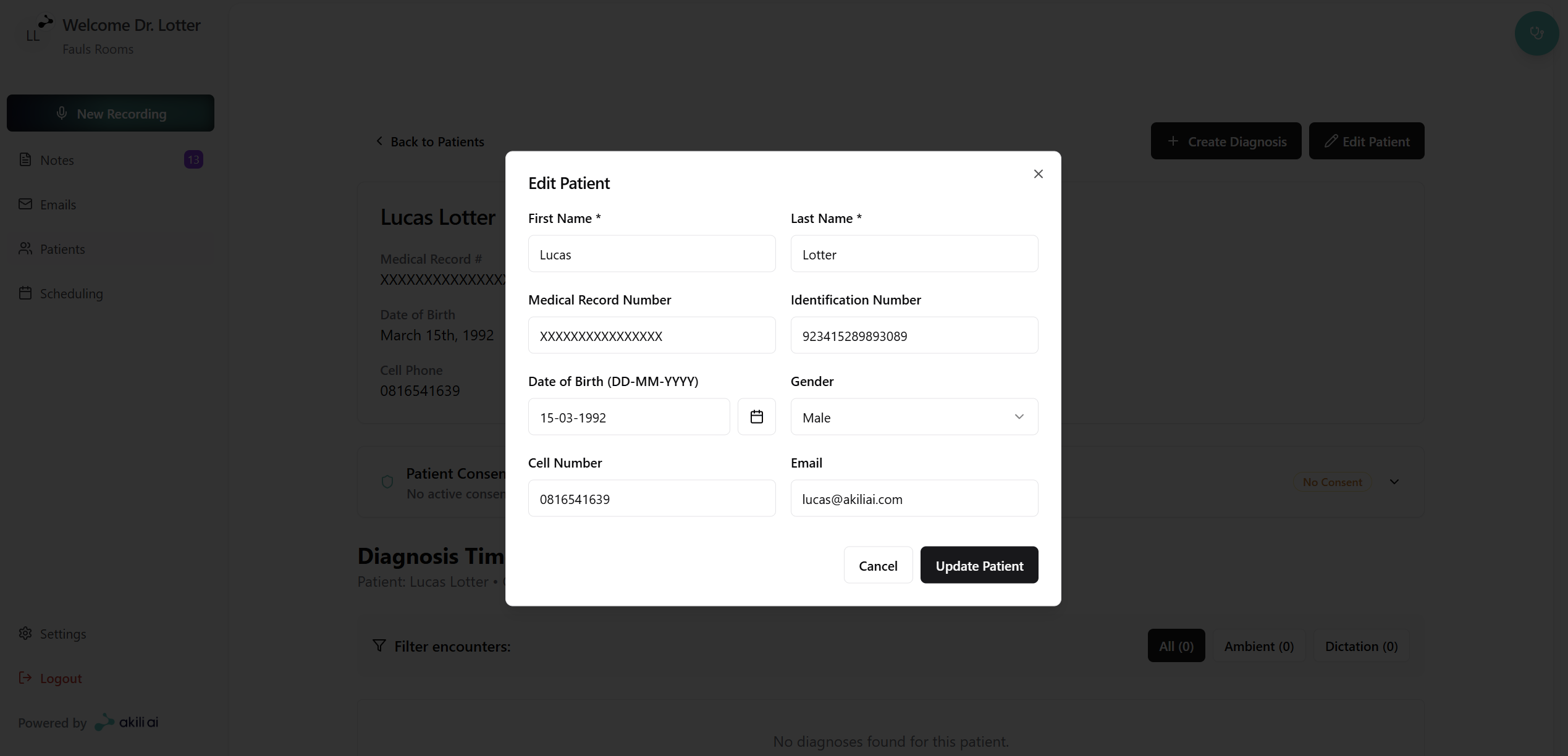
Editing Patient Details
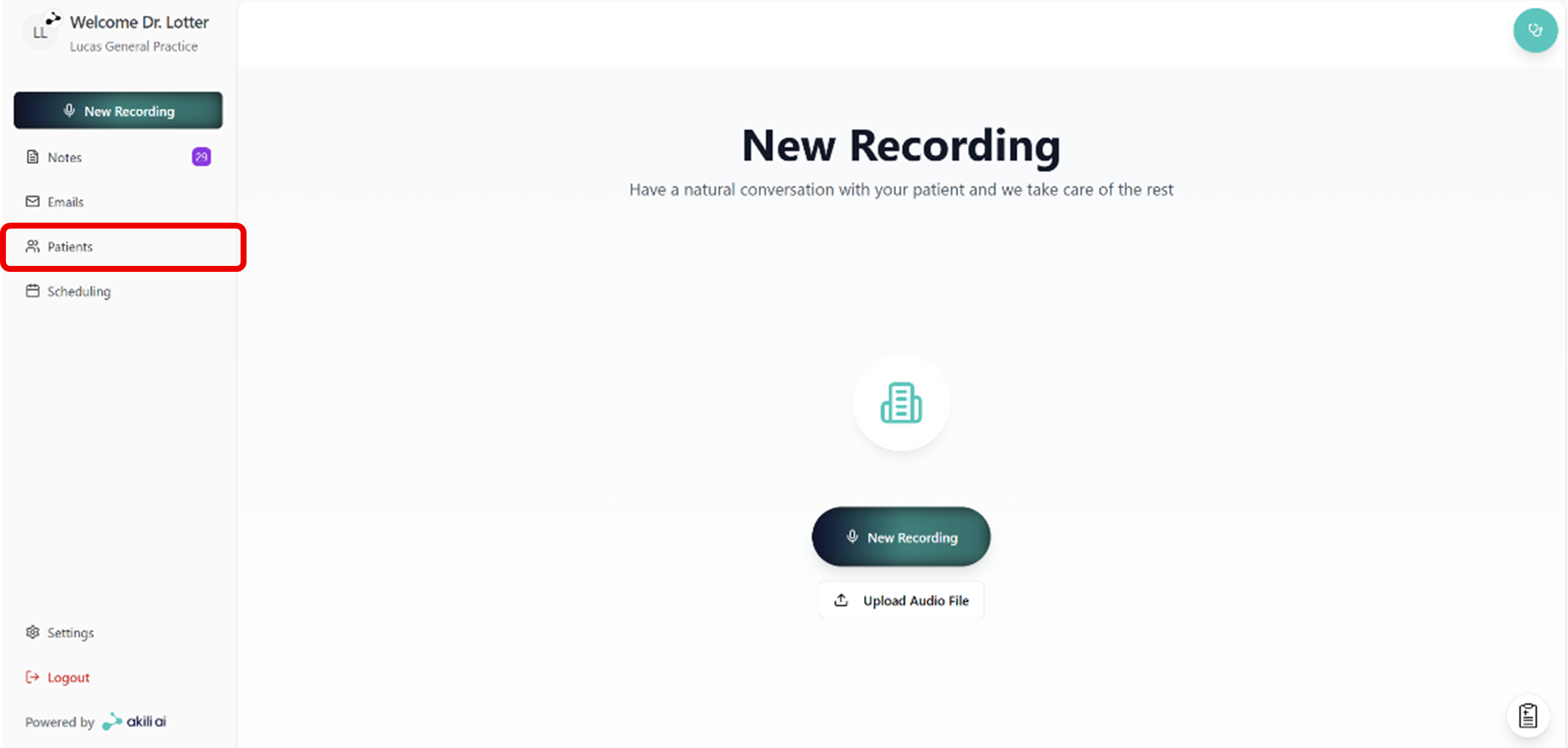
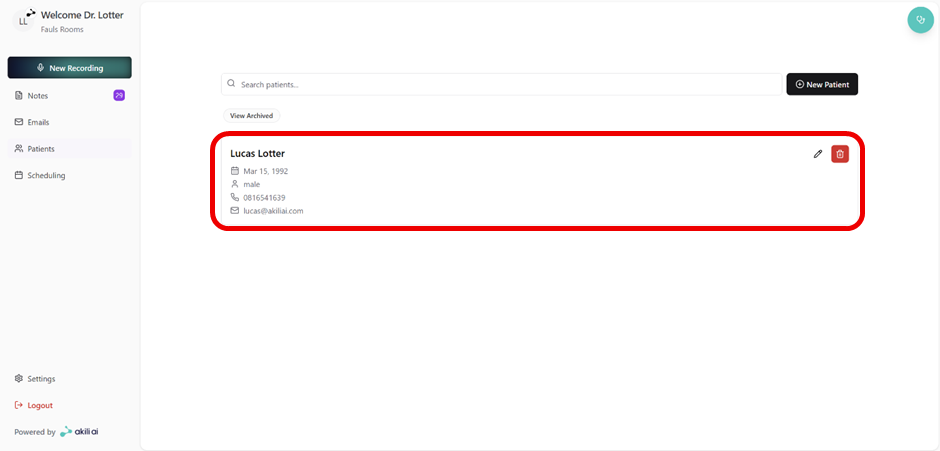
Editing patient details can easily be done through the patients tab from the navigation menu:
Step 1: Navigate to the patients tab
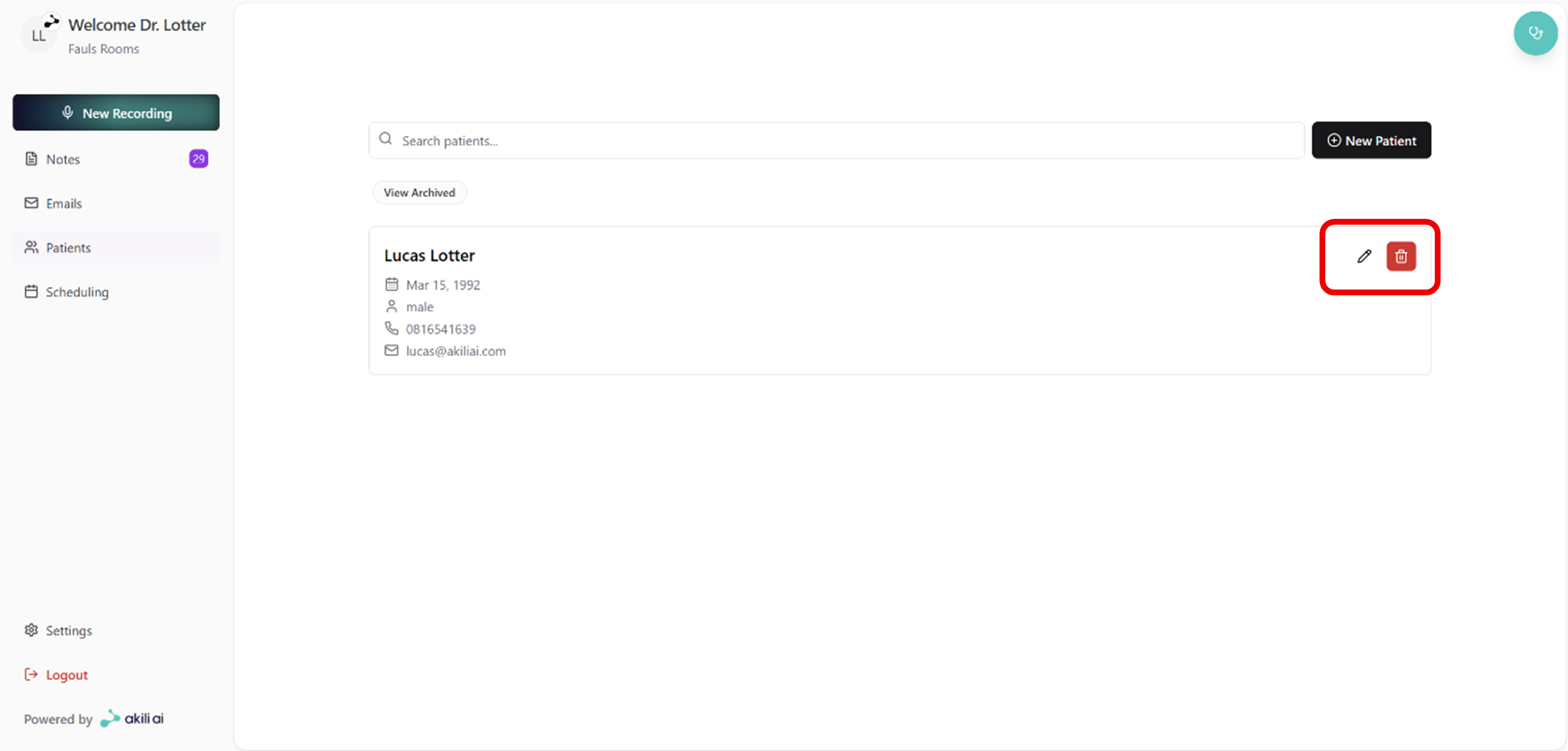
Step 2: Select a the edit icon on the top right of the patient tile (Alternatively skip to Step 4)
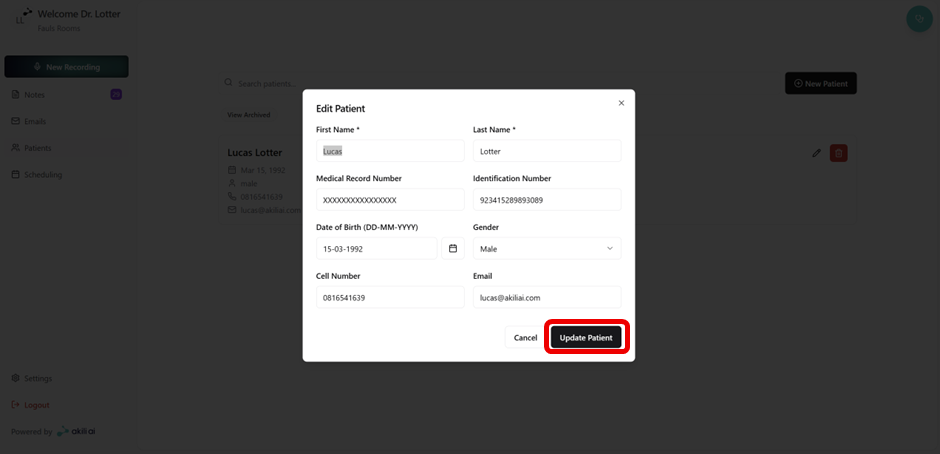
Step 3: Edit the patient details and select “Update Patient”
Step 4: Select the patient you wish to edit
Step 5: Select “Edit Patient” on the top right of the patient record
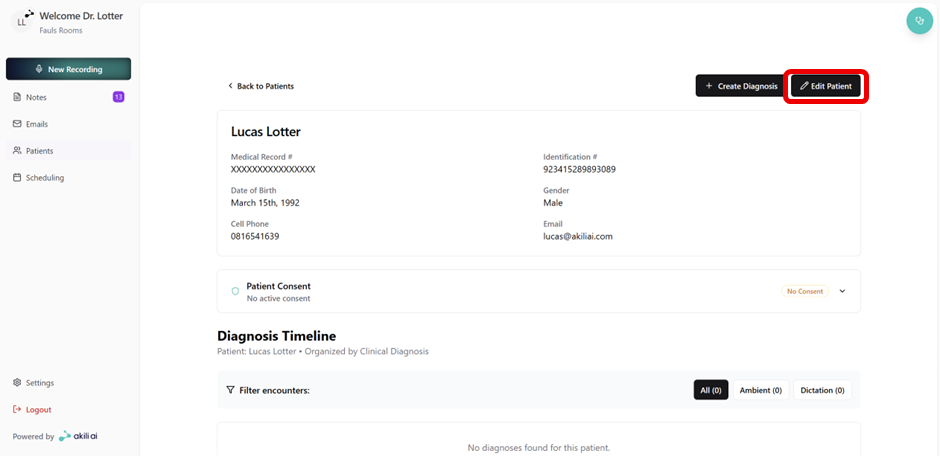
Step 6: Make edits and select “Update Patient”