Skip to content

Patients Screen

Search for patients, view their records, and manage episodes of care.

What this screen is for

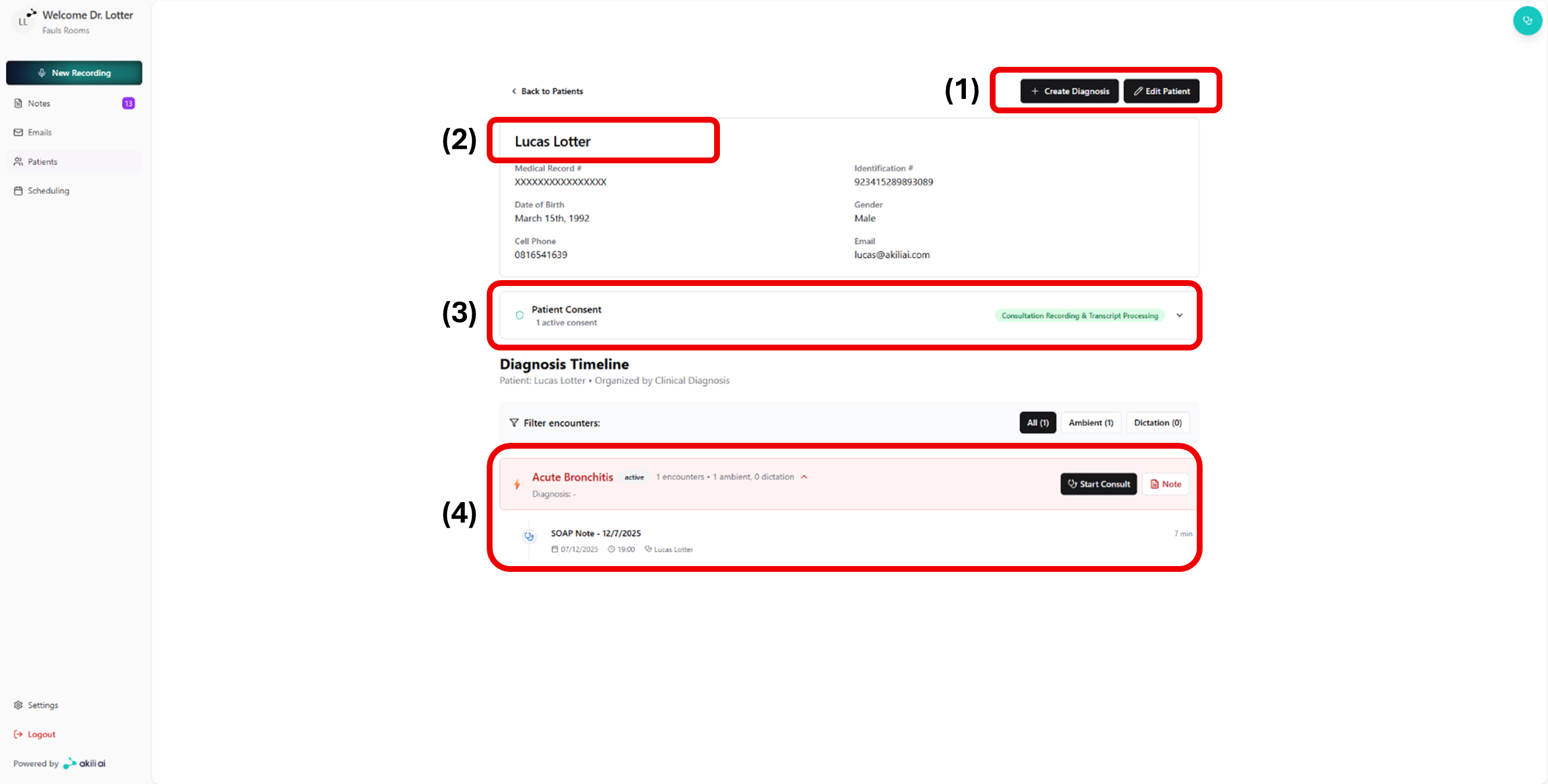
The Patients Screen is where you find existing patients, review their history and notes, and manage their episodes of care.

Key elements

Element What it does
Search bar Search patients by name, ID or date of birth
Patient list Displays matching patients with a summary of recent activity
Add patient button Opens the form to register a new patient
Patient record Opens the full record for the selected patient
Episodes of care Groups consultations and notes by clinical episode
Notes panel Displays all notes linked to the selected episode

Patient record panels

Panel What it shows
Demographics Name, date of birth, contact details, ID number
Episodes Past and current episodes of care
Notes Consultation notes linked to each episode
Documents Generated documents (referrals, sick notes, treatment plans)
Consent Patient consent records

Common issues

Patient not found in search

Try searching by date of birth or patient ID instead of name. If the patient does not exist, use Add patient to register them.